
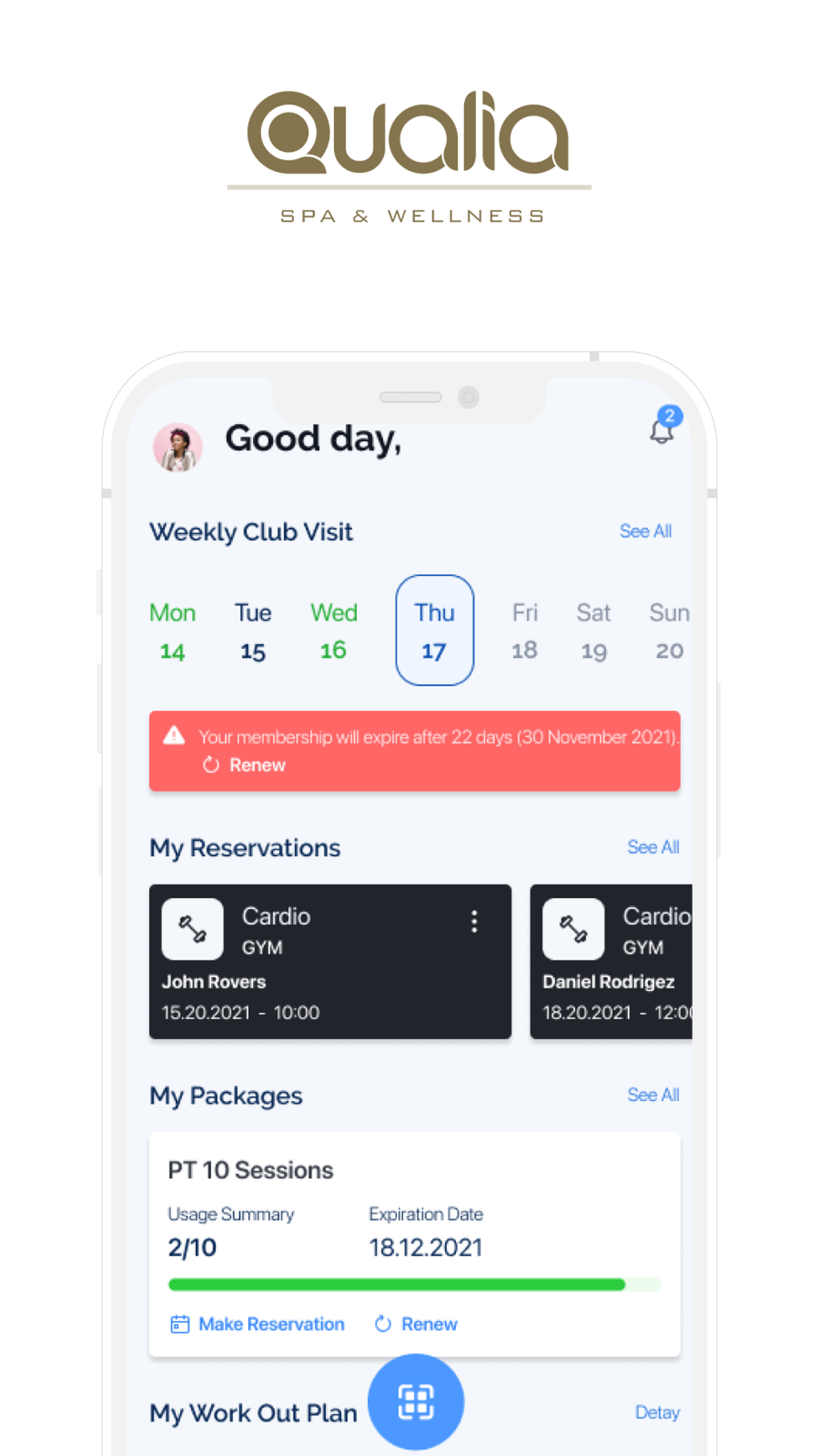
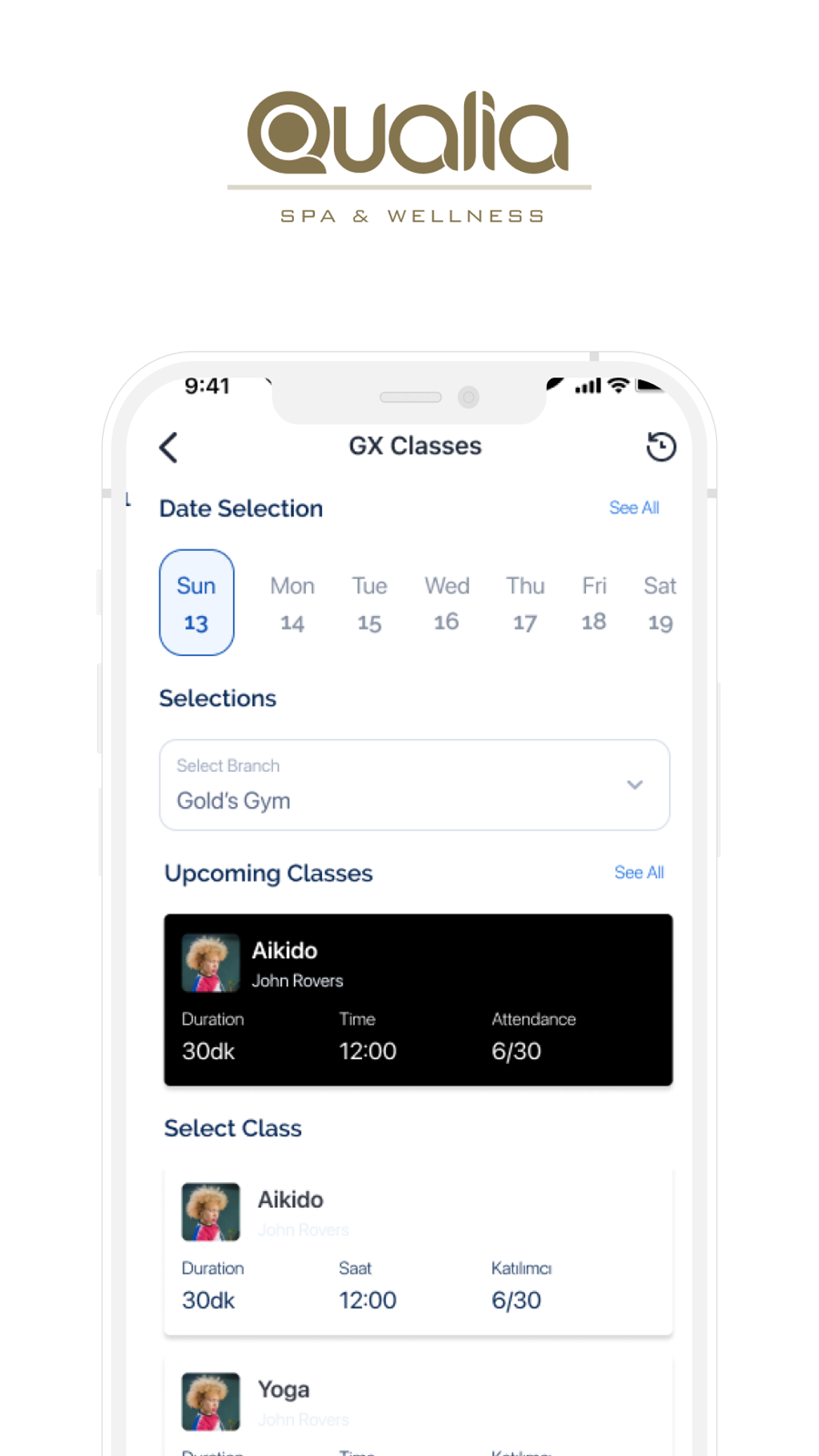
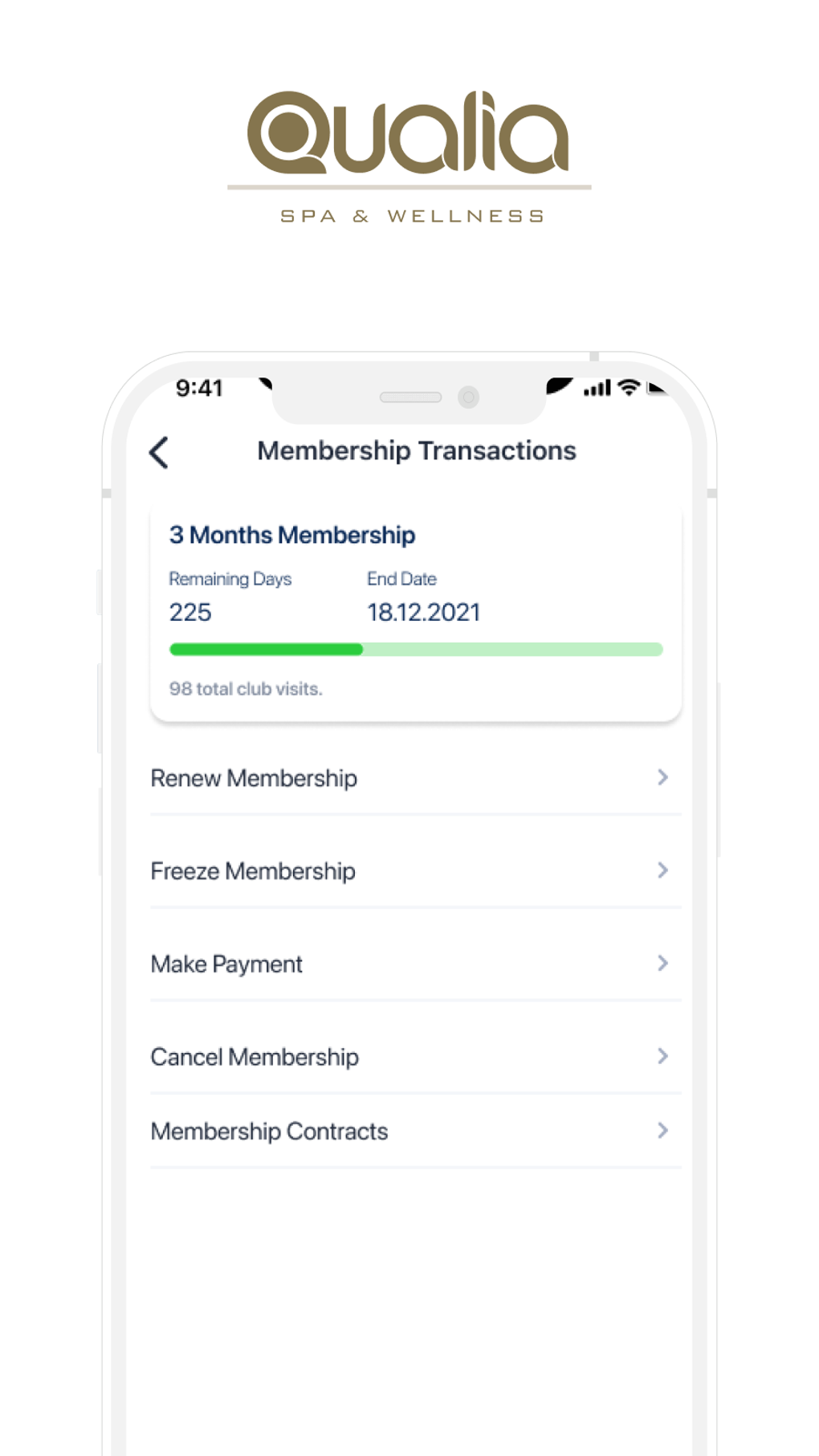

Download Qualia – membership management, customer programs, studio course operations
Overview
Qualia is a lifestyle app developed by Senkron Software designed to streamline membership management for businesses and organizations. The software provides a centralized platform for managing customer programs, tracking measurements, and overseeing studio course operations. Its core purpose is to simplify the administrative burden associated with running membership-based services, making it particularly suitable for fitness studios, wellness centers, and similar organizations. By integrating key operational tasks into a single interface, Qualia aims to enhance efficiency and reduce manual workload.
Target users include business administrators, studio managers, and operational staff responsible for managing memberships and client data. The app supports real-world scenarios such as scheduling classes, monitoring client progress through measurement tracking, and managing subscription-based programs. While the developer did not provide additional system requirements, the software appears tailored for desktop environments where consistent access to client data and scheduling tools is essential.
For membership-based businesses, Qualia offers a structured approach to daily operations, enabling teams to focus more on service delivery and less on administrative tasks. Despite its apparent strengths in workflow integration, platform compatibility information is limited, which may restrict accessibility for some users. However, for organizations within its intended scope, the app presents a focused and efficient solution to common membership management challenges.
Key Features & Capabilities
- Membership Management – Enables users to create, track, and renew memberships with customizable plans and automated reminders.
- Customer Program Tracking – Supports the setup and monitoring of individualized customer programs, including goals, progress, and scheduled check-ins.
- Measurement Tracking – Allows staff to record and visualize client measurements over time, supporting wellness and fitness progress monitoring.
- Studio Course Scheduling – Provides tools for organizing and managing class schedules, session availability, and participant enrollment.
- Centralized Dashboard – Offers a unified interface where all membership-related data and operations can be accessed at a glance.
These features are designed to support a seamless workflow for both administrators and members. For example, a fitness studio can use Qualia to manage client subscriptions, track body measurements across sessions, and schedule recurring classes—all from one platform. Similarly, wellness centers can monitor client progress through personalized programs while ensuring timely follow-ups. The structured interface ensures that essential functions are easy to locate and use, reducing the learning curve for new users.
Although specific technical details about feature implementation were not provided, the software appears built around operational efficiency and user accessibility. Its focus on integrating core membership functions into a cohesive system makes it a practical tool for organizations seeking to automate and standardize their management processes.
User Interface, Workflow & Performance
The user interface of Qualia is structured to prioritize clarity and ease of navigation. A centralized dashboard likely serves as the main access point, offering quick links to membership management, program tracking, and course scheduling. The layout appears optimized for desktop use, with intuitive menus and consistent visual cues to guide users through common tasks.
Workflow efficiency is enhanced by the integration of key functions into a single environment. Users can move between managing memberships, updating client data, and scheduling sessions without switching between multiple applications. This reduces context switching and supports faster decision-making. The developer did not specify resource usage details, so performance behavior under load or with large datasets remains unknown.
General observations suggest that the software is designed for stable, consistent operation in a professional setting. Stability is critical for membership systems where data accuracy and uptime are essential. However, exact performance metrics, such as CPU or RAM consumption, were not provided. The developer did not specify whether the software supports offline usage, which may impact usability in low-connectivity environments.
Compatibility & System Requirements
Qualia is designed for desktop environments and is available on Windows and Mac platforms. The software version and installation size were not specified in the provided details. The developer did not provide additional system requirements, making it difficult to determine the minimum hardware specifications needed for optimal performance.
Platform compatibility information is limited, which may affect users seeking cross-platform access or integration with mobile devices. While the app appears to be a standalone desktop application, the developer did not confirm whether it supports synchronization across devices or cloud-based access. For users relying on multiple devices, this limitation could impact workflow continuity.
Given the lack of detailed compatibility data, users should exercise caution when installing the software on systems that do not match the intended environment. The developer did not provide information on update frequency or license type, so users cannot assume automatic updates or multi-user licensing options.
Pros and Cons
Pros
- Streamlined management of memberships, customer programs, and studio courses
- Intuitive interface designed for efficient workflow execution
- Centralized dashboard for quick access to key operations
- Supports measurement tracking for client progress monitoring
- Designed for business and organizational use cases
Cons
- Platform compatibility information is limited
- Exact system requirements were not listed
- Developer did not specify resource usage or performance behavior
- Limited information on offline functionality and data sync
- Unclear update frequency and licensing model
FAQ Section
Is Qualia compatible with both Windows and Mac?
Yes, Qualia is available for both Windows and Mac operating systems. However, specific version details and compatibility ranges were not provided.
Can I use Qualia offline?
The developer did not specify whether the software supports offline usage. Users should verify this capability based on their intended workflow and connectivity needs.
Does Qualia offer automatic updates?
Information on update frequency or automatic update features was not provided by the developer.
What kind of license does Qualia use?
The developer did not disclose the license type or pricing model. Users should consult official sources for licensing details.
Is Qualia secure?
The developer did not provide information on data encryption, security protocols, or privacy measures. Users should assess data handling practices based on their organizational requirements.
Final Thoughts + CTA
Qualia presents a focused and practical solution for businesses managing memberships, customer programs, and studio course operations. Its structured design and integrated features support efficient daily management, making it a strong contender in the membership software space. While platform limitations and incomplete system details may pose challenges for some users, its core functionality is well-aligned with the needs of fitness studios, wellness centers, and similar organizations.
For administrators seeking a reliable desktop tool to centralize membership tasks, Qualia offers a compelling combination of usability and operational support. Despite missing technical transparency, the app’s emphasis on workflow efficiency and intuitive design sets it apart. Organizations that prioritize streamlined management and client progress tracking will find value in its approach.
Download Qualia now to experience a powerful, all-in-one membership management tool designed for modern service-based businesses.







